

Update: For a more recent look at the best laptops for business school students, check out our latest review.
Laptops for MBA Programs
While previous generations of b-school students needed only a notebook and some ledger paper for class, today’s MBA students have a dizzying array of technology available for their classroom needs. Should you invest in a new laptop for your classes, or will your current model hold up to the rigor of business classes? Your computer’s memory, operating system, and software can play a big part in your satisfaction and success as an MBA student. After all, no one wants to face the blue screen of death during a timed computer-based test.
To learn about most MBA programs’ requirements for computing power, and to find out what technology is not advised, here is a rundown of common tech recommendations from many different programs. Use these laptop tips to survive those finance courses, presentations, and online tests with confidence.
Work Versus Personal Computer
While some MBA students may have use of a laptop from their employer, many MBA programs recommend that these students get their own computer for classroom use. As a technology guide from the Haas School Of Business – UC Berkeley explains, employers’ laptops often have configurations in place that may hamper classroom usefulness. Check out your computer’s network configurations to make sure your work laptop can do double duty as a school computer. If you aren’t sure, it may be a good idea to drop by your school’s tech department for help.
Mac Versus PC
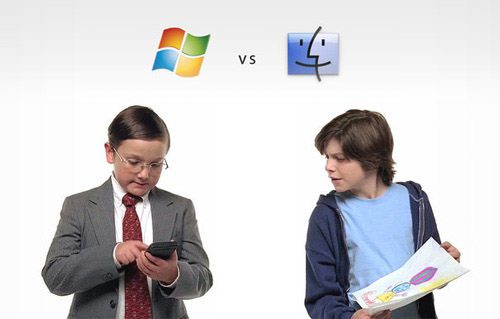

Even while MBA programs may permit you to have a MAC, you will likely have to use a program like Parallels or Boot Camp to run Windows anyway. For more information, this post from the UCLA Anderson School of Business blog outlines the reasons a PC laptop may be a wise investment choice for MBA students. And if you’re a die-hard Apple fan, check with your school to see if your computer can be configured to fit the program.
Software Needs
In general, you will want to keep your software up-to-date to handle the rigors of MBA computing. For instance, the Ivey Business School recommends students run MS Office 2013 and install the Data Analysis ToolPak and Solver for Excel. (Again: brace yourself for Excel immersion).
How Much Memory
Like most programs, the Smeal College of Business at Penn State recommends students have at least 4 to 8GB RAM to succeed in the MBA program. Keep in mind that your program may utilize its own software or programs, so having some extra memory to spare is always a good idea.
Tech Help
B-school is tough on laptops. You will use it for most – if not all – of your courses for notes and sometimes tests. Therefore, it’s crucial to make sure your laptop is in good working order to avoid a mid-class meltdown. Take a bit of advice from the Hankamer School Of Business – Baylor University and be prepared for computer problems (and make friends with your school’s technology support services).
—
For more information related to MBA prep make sure to check out the following: